Documentation
 Configuration
You can tweak pure behavior and color by changing universal variables either directly in the terminal or in your config.fish, e.g.:
# try to change prompt symbol
set --universal pure_symbol_prompt '>>>'
# restore default
set --universal pure_symbol_prompt '❯'
 Features
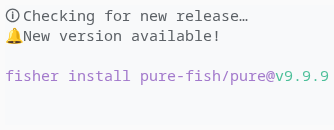
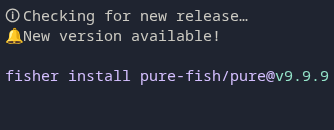
Check For New Release
| Option | Default | Description |
|---|---|---|
pure_check_for_new_release |
false |
true: check repo for new release (on every shell start) |
Setting up release checking
Check the troubleshooting section Customizing Fish Greeting.
🐌 Faster Prompt
Checking new release sends an HTTP request that slows down your prompt rendering
as it waits for remote server response. Set it to false to speed up rendering:
set --universal pure_check_for_new_release false


Container Detection (Docker)
| Option | Default | Description |
|---|---|---|
pure_enable_container_detection |
true |
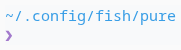
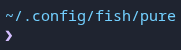
false: Do not check pure runs inside a container (e.g. docker, podman, LXC/LXD, etc.). Detection is a bit tricky across OSes. Detection is a bit tricky across OSes. |
pure_symbol_container_prefix |
Prefix when being inside a container (to customize) |


Current Working Directory
| Option | Default | Description |
|---|---|---|
pure_begin_prompt_with_current_directory |
true |
true: pwd git, SSH, duration.false: SSH pwd git, duration. |
pure_shorten_prompt_current_directory_length |
0 |
Shorten every prompt path component but the last to X characters (0 do not shorten) |
pure_truncate_prompt_current_directory_keeps |
0 |
Truncate working directory path in prompt, but keeps the last to n components (0 full path in current directory) |




Git
| Option | Default | Description |
|---|---|---|
pure_enable_git |
true |
Show info about Git repository. |
pure_symbol_git_dirty |
* |
Repository is Dirty (uncommitted/untracked changes). |
pure_symbol_git_stash |
≡ |
Repository git stash status. |
pure_symbol_git_unpulled_commits |
⇣ |
Branch is behind upstream (commits to pull). |
pure_symbol_git_unpushed_commits |
⇡ |
Branch is ahead upstream (commits to push). |
pure_show_numbered_git_indicator |
false |
Show number of git stash and commits behind/ahead |
Large repositories
If your prompt feels slow in a large Git repository, see the Troubleshooting section on large repositories.
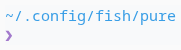
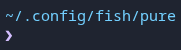
Need safer
gitsymbols?


Jobs
| Option | Default | Description |
|---|---|---|
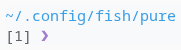
pure_show_jobs |
false |
Show Number of running jobs |
Kubernetes
| Option | Default | Description |
|---|---|---|
pure_symbol_k8s_prefix |
☸ |
Prefix when being connected to Kubernetes/K8s |
pure_enable_k8s |
false |
true: shows kubernetes context and namespace. |


NixOS
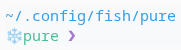
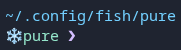
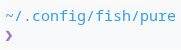
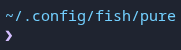
Indicate if nix develop shell is activated in their prompt.
| Option | Default | Description |
|---|---|---|
pure_enable_nixdevshell |
false |
Indicate if a nix develop shell is activated (based on IN_NIX_SHELL). |
pure_symbol_nixdevshell_prefix |
❄️ |
otherwise nerdfonts: '' or '' |
pure_color_nixdevshell_prefix |
pure_color_info |
prefix color |
pure_color_nixdevshell_symbol |
pure_color_mute |
symbol color |
Prompt Symbol
| Option | Default | Description |
|---|---|---|
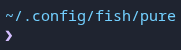
pure_symbol_prompt |
❯ |
Control the prompt symbol. |
Previous command status
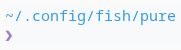
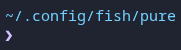
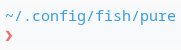
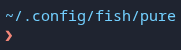
Previous command exit status change the prompt symbol color.
Python Virtualenv
| Option | Default | Description |
|---|---|---|
pure_enable_virtualenv |
true |
Show virtual env name (based on VIRTUAL_ENV_PROMPT, VIRTUAL_ENV or CONDA_DEFAULT_ENV). |
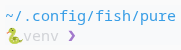
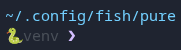
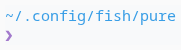
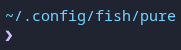
pure_symbol_virtualenv_prefix |
Prefix when a Python virtual env is activated (default: undefined) |
AWS Profile
| Option | Default | Description |
|---|---|---|
pure_enable_aws_profile |
true |
Show AWS profile name (based on AWS_VAULT or AWS_PROFILE). |
pure_symbol_aws_profile_prefix |
Prefix when a AWS profile is activated (default: undefined) |
Separate Error Symbol
| Option | Default | Description |
|---|---|---|
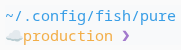
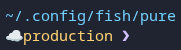
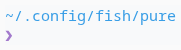
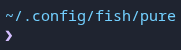
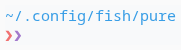
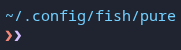
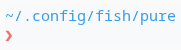
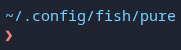
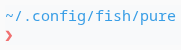
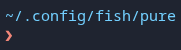
pure_separate_prompt_on_error |
false |
Show last command exit code as a second prompt symbol. |
List Exit Statuses
| Option | Default | Description |
|---|---|---|
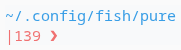
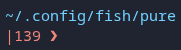
pure_show_exit_status |
false |
true: Show list of status codes if the last command failed |
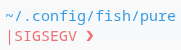
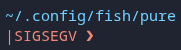
pure_convert_exit_status_to_signal |
false |
true: Convert statuses 129 and up to their signal names |
pure_symbol_exit_status_prefix |
| |
Prefix when the last command failed |
pure_symbol_exit_status_separator |
| |
Separator between statuses in a pipeline |
Single Line Prompt
| Option | Default | Description |
|---|---|---|
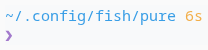
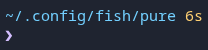
pure_enable_single_line_prompt |
false |
true: Compact prompt as a single line |




SSH Session
| Option | Default | Description |
|---|---|---|
pure_symbol_ssh_prefix |
Show SSH session prefix, after path, when being connected to an SSH session (default: undefined) |


Time
| Option | Default | Description |
|---|---|---|
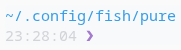
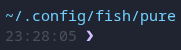
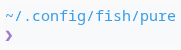
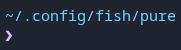
pure_show_system_time |
false |
true: shows system time before the prompt symbol (as %H:%M:%S). |
Command Duration
| Option | Default | Description |
|---|---|---|
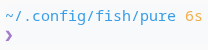
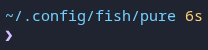
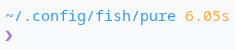
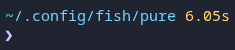
pure_show_subsecond_command_duration |
false |
Show subsecond (ex. 1.5s) in command duration. |
pure_threshold_command_duration |
5 |
Show command duration when above this value (seconds). |
Title
| Option | Default | Description |
|---|---|---|
pure_symbol_title_bar_separator |
- |
Separator in terminal's windows title. |
pure_shorten_window_title_current_directory_length |
0 |
Shorten every window title path component but the last to X characters (0 do not shorten) |
pure_truncate_window_title_current_directory_keeps |
0 |
Truncate working directory path in window title, but keeps the last to n components (0 full path in window title) |
Transient Prompt
Simplify previous prompts in scrollback history (Fish 4.1.0+)
| Option | Default | Description |
|---|---|---|
fish_transient_prompt |
- | Fish built-in variable. Set to 1 to enable transient prompt. |
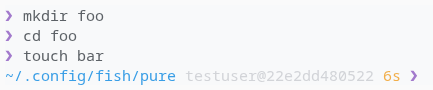
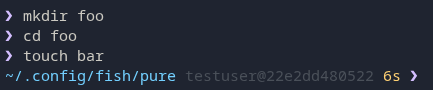
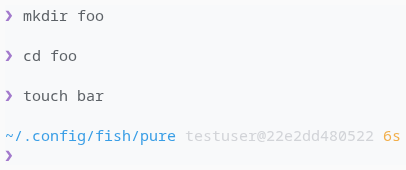
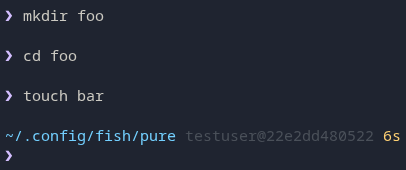
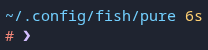
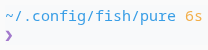
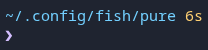
Shows a simplified prompt (just the prompt symbol) for previous commands, keeping your scrollback clean while maintaining full context on the current prompt.
When enabled, Fish re-runs the prompt with --final-rendering before executing a command.
Recommended: Enable Single Line Prompt
Transient prompt works best with single line prompt enabled:
set --universal fish_transient_prompt 1
set --universal pure_enable_single_line_prompt true


VI Mode
| Option | Default | Description |
|---|---|---|
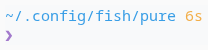
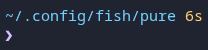
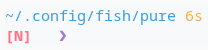
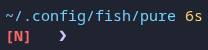
pure_reverse_prompt_symbol_in_vimode |
true |
true: ❮ indicate a non-insert mode.false: indicate vi mode with [I], [N], [V]. |
pure_symbol_reverse_prompt |
❮ |
VI non-insert mode symbol. |
Working as Root
| Option | Default | Description |
|---|---|---|
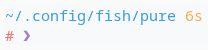
pure_show_prefix_root_prompt |
false |
true: shows prompt prefix when logged in as root. |
pure_symbol_prefix_root_prompt |
# |
Prefix prompt when logged in as root. |
Colours
Tip
See set_color documentation for full possibilities.
Info
The absence of $ sign is expected in pure_ named colours.
| Base Color | Inherited by | Default |
|---|---|---|
pure_color_danger |
pure_color_prompt_on_errorpure_color_exit_status |
red |
pure_color_dark |
black |
|
pure_color_info |
pure_color_git_unpulled_commitspure_color_git_unpushed_commits |
cyan |
pure_color_light |
pure_color_username_root |
white |
pure_color_mute |
pure_color_git_branchpure_color_git_dirtypure_color_git_stashpure_color_hostnamepure_color_at_signpure_color_username_normalpure_color_virtualenv |
brblack |
pure_color_normal |
pure_color_jobs |
normal |
pure_color_primary |
pure_color_current_directory |
blue |
pure_color_success |
pure_color_prompt_on_success |
magenta |
pure_color_warning |
pure_color_command_duration |
yellow |
Troubleshooting
Customizing Fish Greeting
Info
Since version ≥4.13.x, pure does not override your fish_greeting function anymore, allowing you to use your own custom greeting.
To configure your Fish's greeting, edit $__fish_config_dir/functions/fish_greeting.fish function or the related variable:
Add the following to call pure_check_for_new_release on each new shell (i.e., when a new terminal session or tmux tab starts):
function fish_greeting
    _pure_check_for_new_release
end
Voiding the fish_greeting.fish function will stop printing any greeting:
function fish_greeting
    # remove content to disable greeting
end
Or set the greeting to an empty string to stop printing any greeting:
set --universal fish_greeting
Install and Update
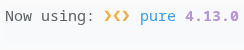
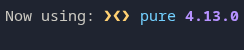
We do our best to clean up after ourselves and provide information on the version installed or updated.


Custom install locations
We support installing pure into a folder other than __fish_config_dir. Updates and uninstallation will work normally
even when not installed into __fish_config_dir.
Slowness: try disabling status.showUntrackedFiles
Info
In large repositories, checking for untracked files can significantly slow down the prompt.
Git's status.showUntrackedFiles option controls whether untracked files are listed. Setting it to false in large repositories improves git status performance, and Pure respects this setting when checking for dirty state:
git config status.showUntrackedFiles false
This can reduce dirty-check times from several seconds to under a second in large repositories.
Slowness: try Async git Prompt
Info
Big repository can slow down the prompt rendering.
In order to ensure the git prompt updates without lag, you can add fish-async-prompt using fisher:
fisher install acomagu/fish-async-prompt
... and put this in your config.fish:
set -g async_prompt_functions _pure_prompt_git